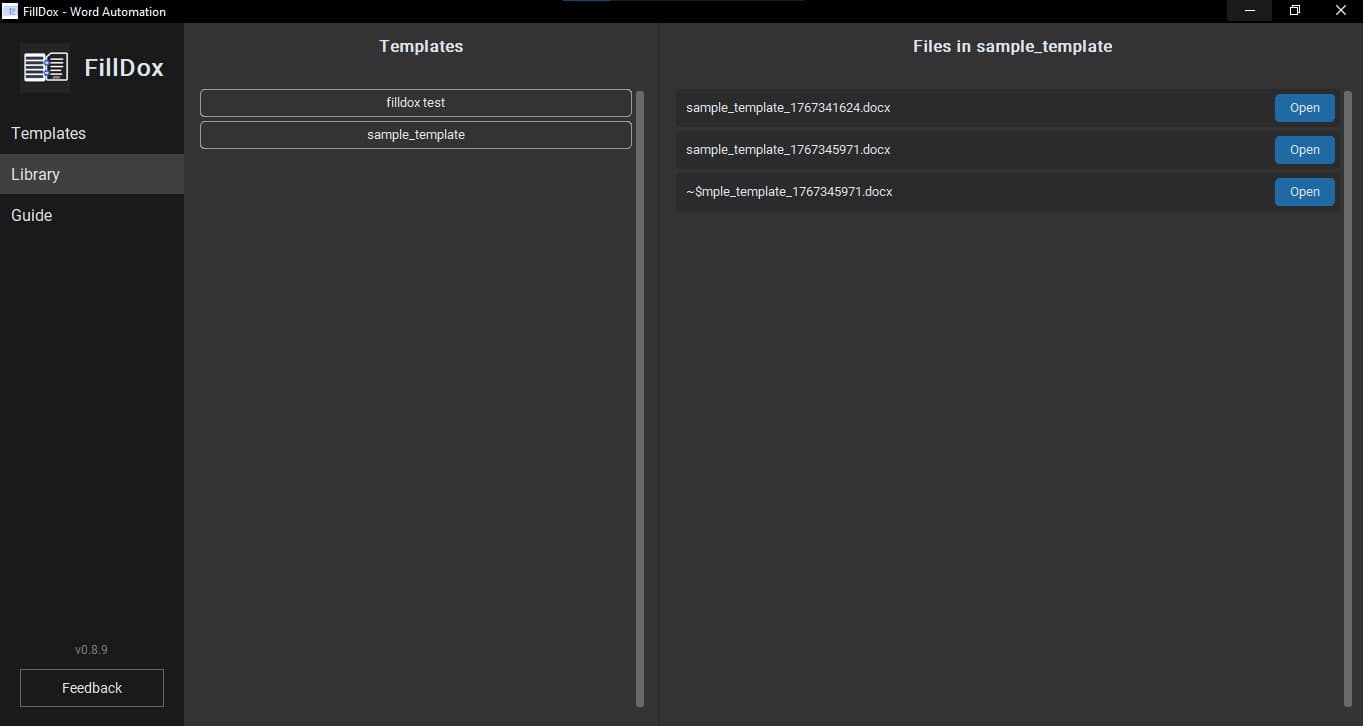
1. Prepare Document
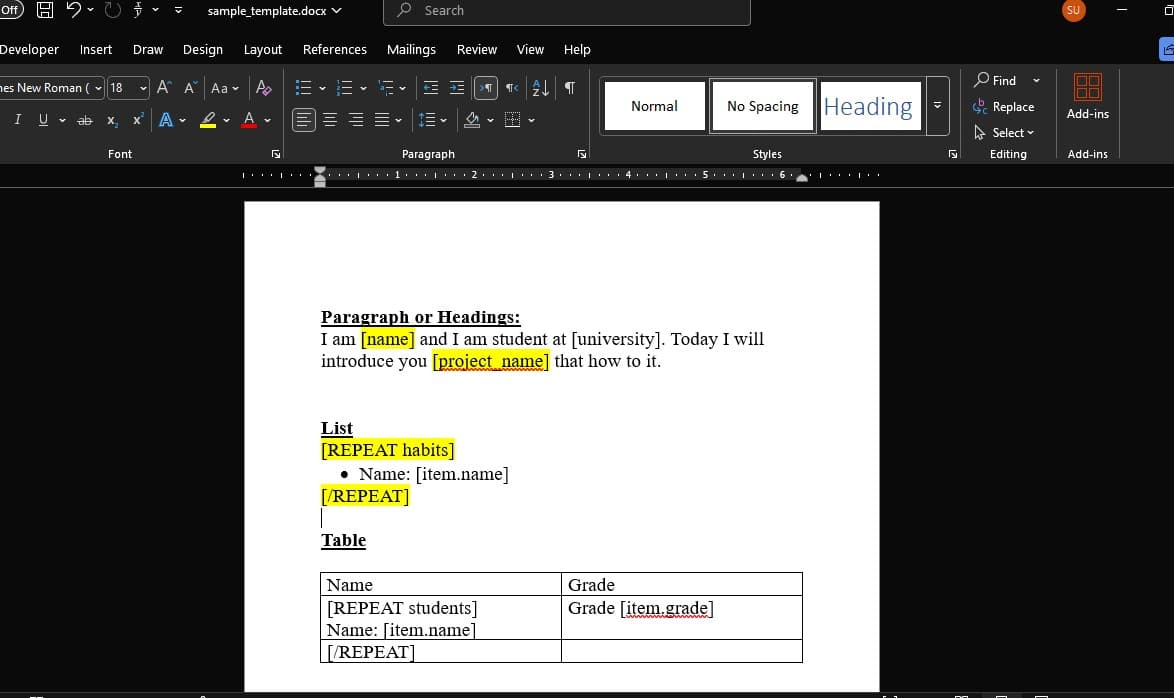
Create your Word document and add placeholders where you want dynamic data.
Use square brackets for variables, like [name].
For lists or loops, use the REPEAT block:
[REPEAT students]
[item.name]
[/REPEAT]
2. Load Template
Import your prepared Word document into FillDox.
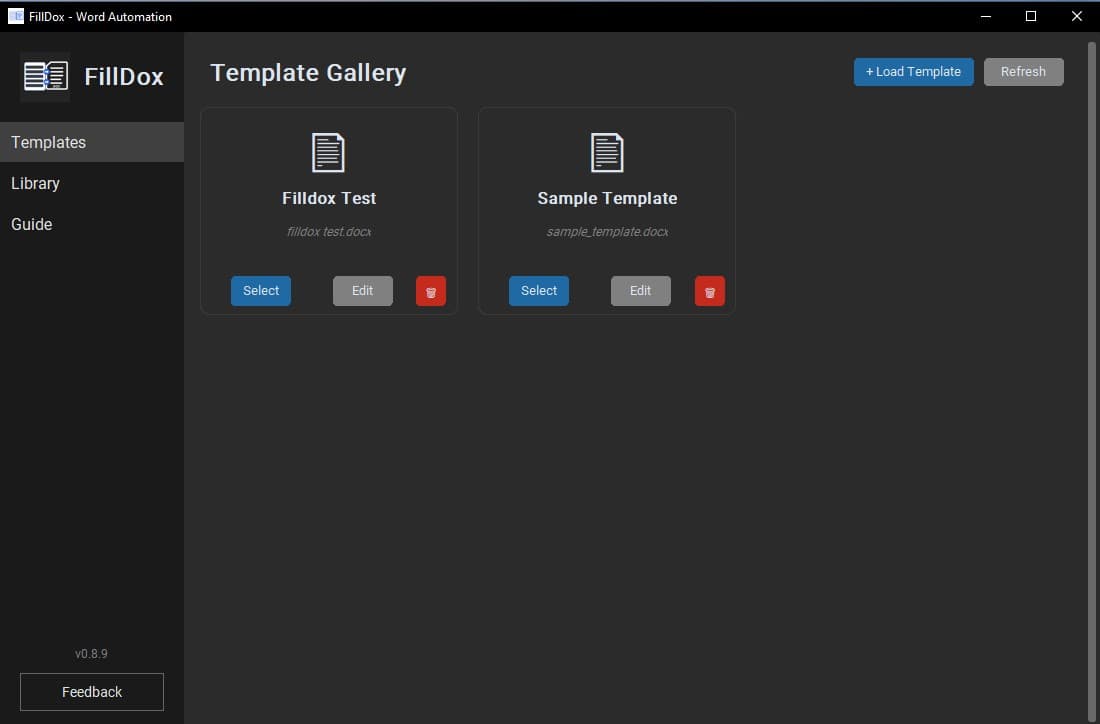
Click on "Load Template" on the top right, or "Import Template" if your library is empty.
3. Select Template
Choose the template you want to fill.
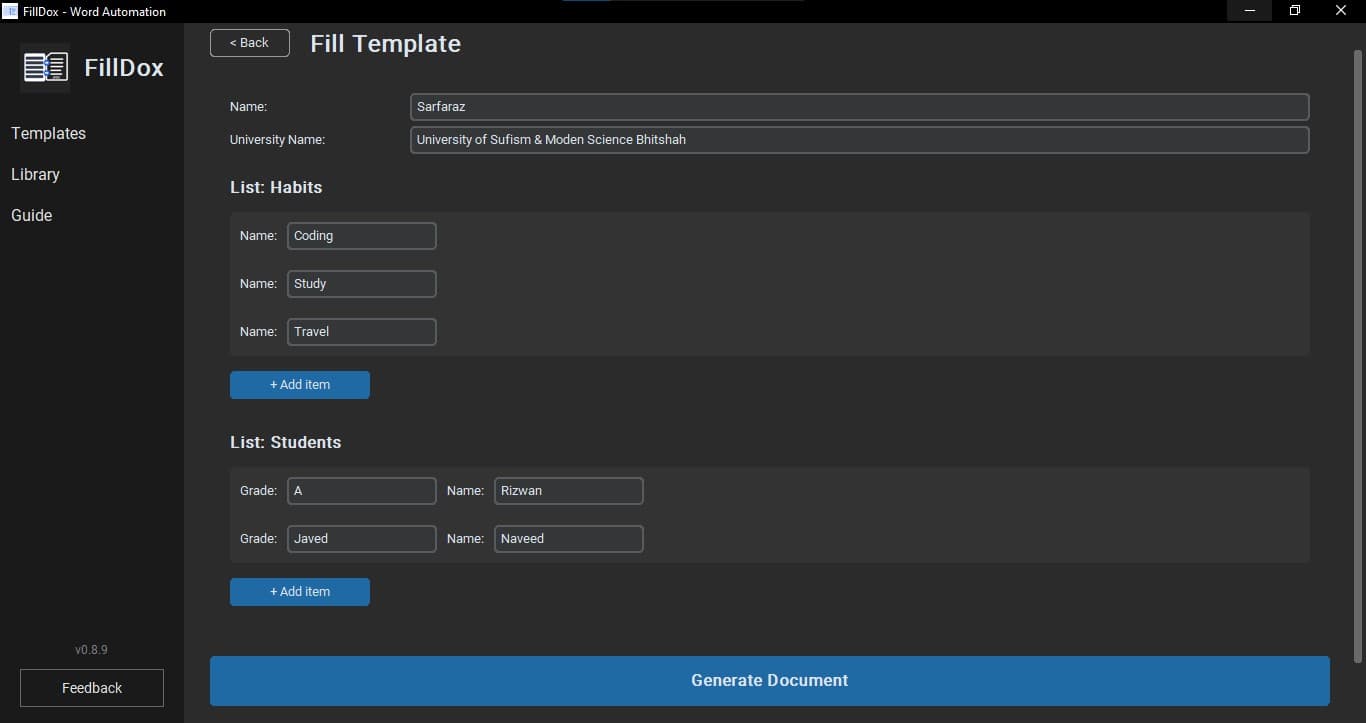
Click the "Select" button on your desired template card. This will generate the form based on your placeholders.
4. Fill & Generate
Enter your data and create the document.
Fill out the form fields and click "Generate Document". Once done, you'll see the file path and an "Open" button.